Archive post
Creating a Kafka Consumer with Kafka, Kotlin, PostgreSQL, and Debezium
Continuing with tools of the trade, we’re going to explore writing a Consumer for a Kafka topic in Kotlin. We’ll generate these messages with debezium via an http endpoint so that the process will be end to end. Lucky for us, we can build on some of what we’ve already been working on to implement this solution.
We’ll do our work in the winch project
What’s Required
- Polymer
- Instrumentation
- Fast Data Dev
- Avro Schema
- Winch Our kotlin test application
Overview
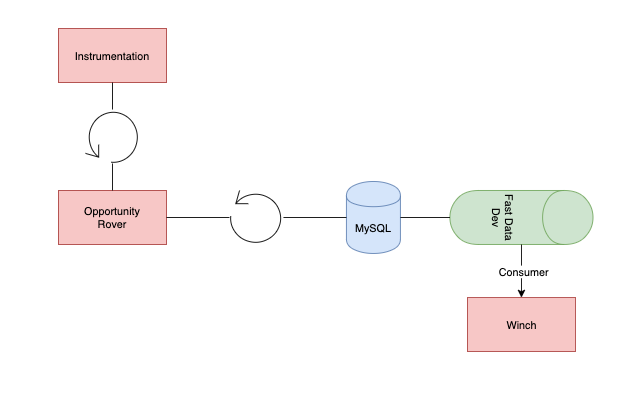
We’ll setup instrumentation and polymer to send a continuous flow of messages into fast-data-dev (kafka) where we can consume them by winch and print “received!” when we get a new message
Getting Started
Let’s make sure we can get messages into fast-data-dev in an automated fashion first.
./scripts/startup
This should start up all required containers and register the debezium connector with kafka-fast-data-dev. Now e can navigate to localhost:3030 and check the connector-ui to make sure we’ve registered correctly.
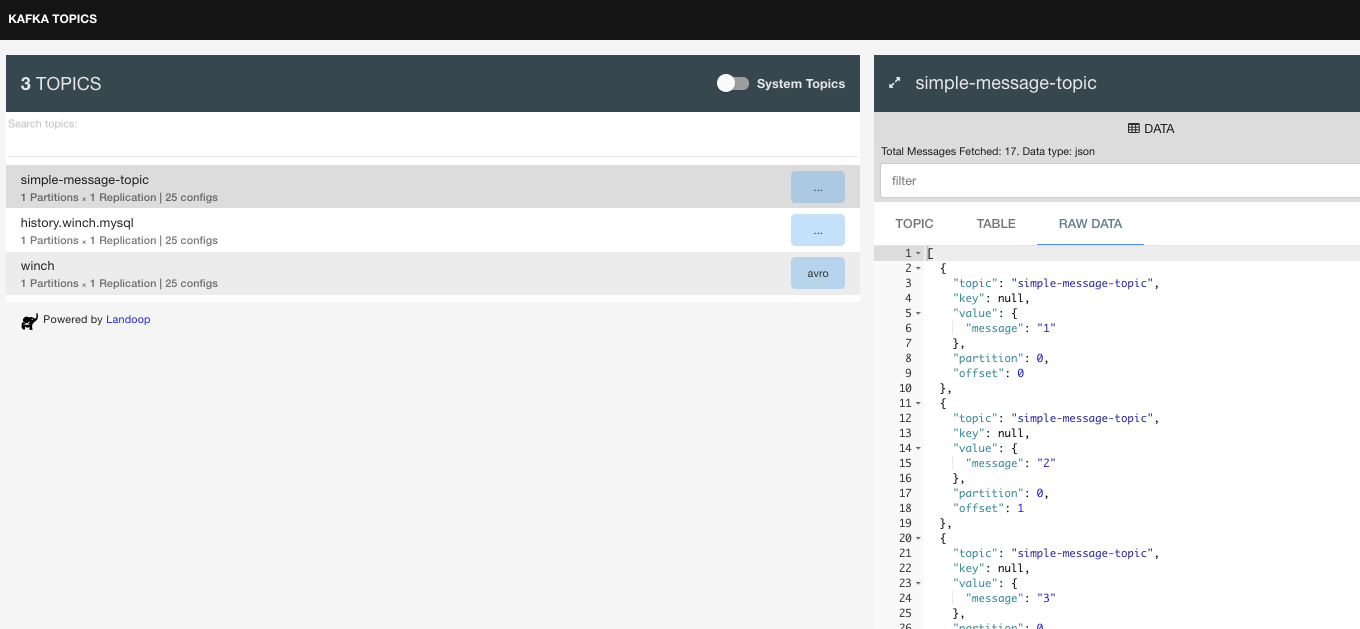
Now that we’ve verified the connector’s attached correctly. Let’s move on to kicking off instrumentation with polymer.
./gradlew runenv
To get the most control out of our test environment, we’ll run instrumentation locally. To do this, clone instrumentation and run the following command from the root directory:
make run
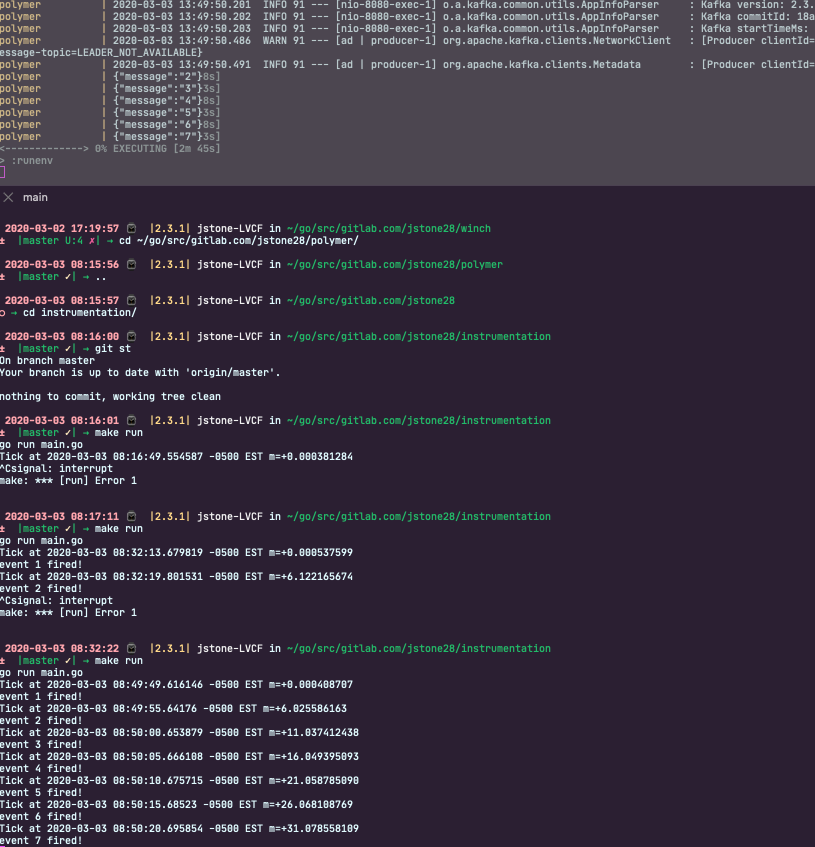
Ok now we can see message generated by instrumentation via polymer, next we can move to actually writing the consumer. We’re going to start with the most simple and straight forward example from around the internet. Using this blog post from the guys over at confluent to get started:
We create a service to consume the simple-message-topic message
package com.jstone28.winch.services

import org.springframework.kafka.annotation.KafkaListener;
import org.springframework.stereotype.Service;

@Service
class SimpleMessageTopicConsumer {

    @KafkaListener(topics = ["simple-message-topic"], groupId = "group_id")
    fun processMessage(message: String) {
        println("got message:" + message)
    }

}
@Service- “an operation offered as an interface that stands alone in the model, with no encapsulated state” (Evans, 2003); also a specialization of@Componentallowing for implementation classes to be autodetected through classpath scanningSimpleMessageTopicConsumer- name of class@KafkaListener- “Annotation that marks a method to be the target of a Kafka message listener on the specified topics.” Springboot docstopic- the topic for which theKafkaListenershould listen for.groupId- override defaultgroup.idproperty for the consumer factory of this value for this listener onlyprocessMessagename of our function
With this consumer, we can take advantage of the built-in springboot functionality to process message found